

Cloud · Modernization · 18 min
Cloud Migration vs Cloud Modernization: Rehost, Replatform, Rebuild—or Migrate Data Separately?
A practical map for deciding what should move, what should change and how to make data migration visible and recoverable.

By Umar Uddin · Cloud & Emerging Technologies Engineer
Published 26 September 2026
Meet the Xyncwave team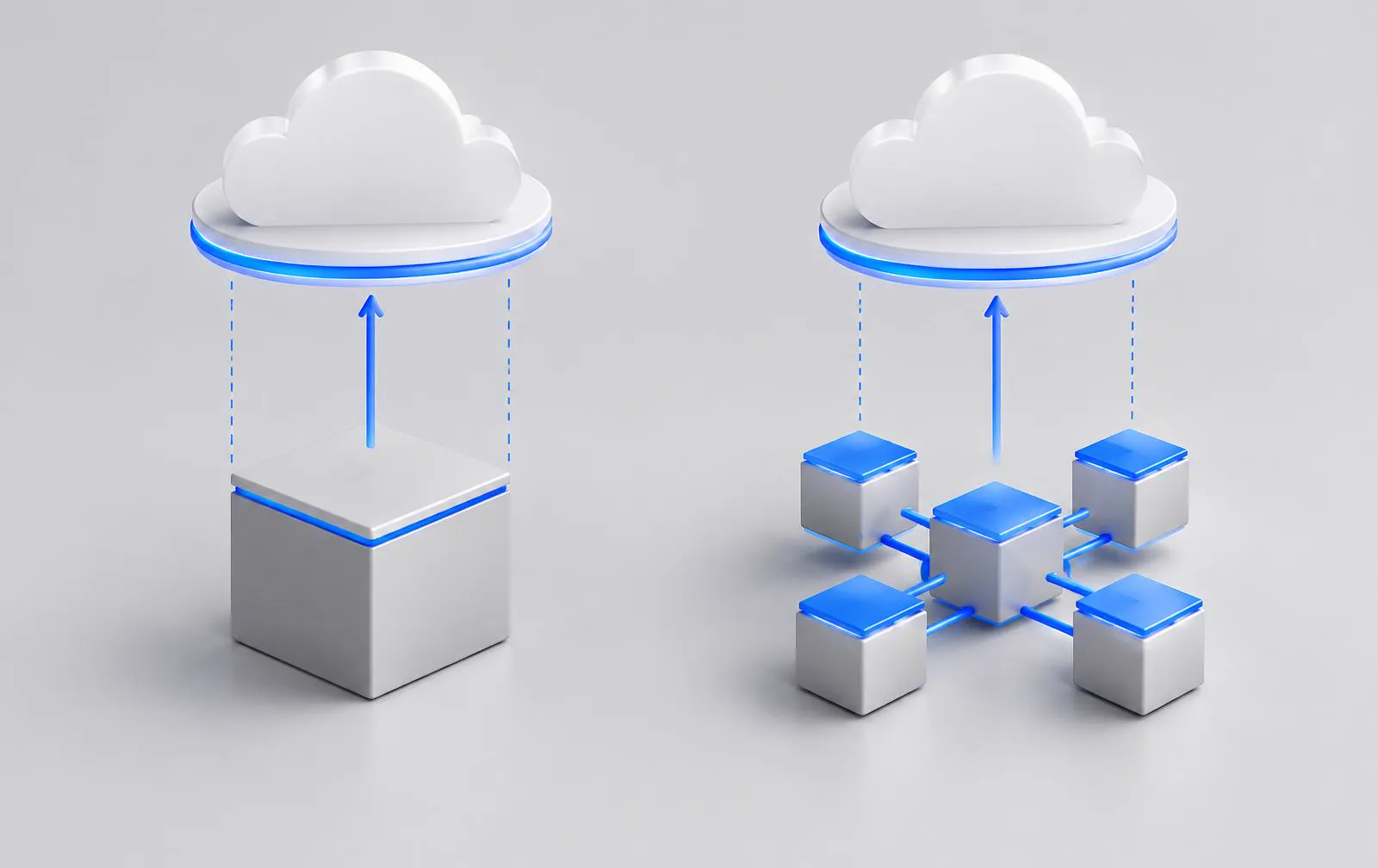
Direct answer
Is cloud migration the same as cloud modernization?
No. Cloud migration moves an application, workload or data to another operating environment. Cloud modernization changes application design, delivery practices or platform services to resolve a specific constraint. You can rehost without modernizing, modernize before migrating, or move data separately. The responsible path depends on dependencies, business continuity, supportability, recovery needs and the value of changing the application itself.
Key takeaways
- Decide separately what moves and what actually needs redesign.
- Rehosting can address a hosting need without fixing code or workflow constraints.
- Replatforming changes the operating foundation; refactoring changes application internals.
- Plan data migration with its own ownership, reconciliation and recovery tests.
- Cloud-native complexity is justified only when it solves a real delivery or operating need.
Cloud migration and cloud modernization solve different problems
Migration changes where a workload or its data runs. Modernization changes how the application is designed, delivered or operated. The decisions can coincide but should be justified separately.
A team may need to exit an expiring data centre, add geographic recovery or reduce the burden of hosting. Another team may need to release software more safely or make a tightly coupled application easier to evolve. Both may say 'move to cloud,' but one problem concerns infrastructure location and the other application capability.
Discover workloads, integrations, latency requirements, data flows, contracts, identity and failure tolerances before deciding. Then write a separate case for what moves, what changes and what stays. Doing less can be prudent; carrying unresolved problems unchanged can also be costly.
- 01RehostChange location; preserve application
- 02ReplatformChange operating foundation
- 03RefactorChange bounded application internals
- 04Rebuild / replaceChange implementation or product
- 05Data migrationIndependent ownership · transfer · validation · recovery
These are options, not a mandatory sequence.
Rehost: move with minimal application change
Rehosting moves a workload to cloud infrastructure while retaining much of its current architecture. It can meet a hosting deadline, but it does not automatically improve code quality or economics.
A virtual machine and its dependencies can be moved to an equivalent environment if network, storage, security, backup, identity and monitoring are properly designed. This is not just copying a disk image. Test performance under representative load, document external systems and measure operating cost in the intended configuration.
Rehosting is less appropriate when unsupported components will remain unsupported, a dependency cannot run on the target platform, or the operational model will be just as brittle. It may be a responsible first step if a later modernization phase has explicit ownership and a reason to exist.
Replatform: change the foundation without redesigning the business workflow
Replatforming adapts a workload to a supported runtime or managed service while keeping its core application logic largely intact.
Moving a database to a managed service or deploying a supported container runtime may reduce some operational duties. Compatibility is not automatic: database dialects, collation, connections, file paths, scheduler behavior and network rules can change. Test the data and the processes that use it, not only whether the application starts.
The gain is often in release or operations rather than a new user feature. Define which burden you are removing and what responsibilities the team still owns—monitoring, access, recovery, patch planning and cost governance do not disappear.
Refactor for cloud capabilities only when the workload needs them
Refactoring changes application boundaries, dependencies or workflows so the software can make sensible use of the new environment.
Separating a long-running task from a request path, introducing a queue for reliable asynchronous work or externalizing configuration can be useful when these solve observed constraints. But each new service boundary creates ownership, observability and failure-handling requirements. More cloud services do not automatically mean better engineering.
Start with one troublesome workflow and trace its data, request path and recovery process. Design contracts and idempotent behavior where retries are possible. Test partial failures and operational visibility before adding more distributed components.
Rebuild only when the architecture genuinely blocks the requirement
A rebuild can be justified by essential capability that the present architecture cannot deliver safely. A cloud target alone is not that justification.
Before rebuilding, ask whether a framework upgrade, integration seam or selective replatform resolves the constraint. If not, document user journeys, exceptions, data contracts, performance and recovery requirements. Migrate a bounded slice and compare behavior rather than assuming the old application is fully captured by its screens.
A replacement product may also be worth examining where work is standard. Keep rehost, replatform, rebuild and replace in the same business comparison rather than treating the most ambitious option as the default.
The Xyncwave Migration–Modernization Map
Plot each option by how much the application changes and how much the platform changes. This prevents the team from treating every cloud move as an application rewrite.
Data migration deserves its own track because an application can move while its data stays, data can move without the application, or both can change at different times. The map is a planning aid, not a universal order in which to perform work.
| Option | Application change | Platform change | Decision condition |
|---|---|---|---|
| Rehost | Low | High | Hosting exit is the near-term need |
| Replatform | Limited | High | Supported services ease a real burden |
| Refactor | Focused | Variable | Code or boundaries constrain delivery |
| Rebuild | High | Variable | Necessary capability cannot evolve safely |
| Replace | High for users and process | Variable | Another product better fits the workflow |
| Data migration | Independent workstream | Variable | Records must move or remain accessible |
Interactive planning tool
Cloud Migration & Modernization Planner
Evaluate one workload through ten choices. See a directional planning result before sharing any contact information.
What is the primary reason for considering cloud?
Application migration and data migration are not the same project
An application move concerns execution, interfaces and operations. A data move concerns records, meaning, quality, ownership, continuity and recovery. Both can fail independently.
For a long-lived system, a data move may precede, follow or remain separate from the application move. A migration plan that reports 'application running' without showing the correctness of its records is incomplete.
Application stream
Inventory runtimes, services, networking, identities, background jobs, certificates, secrets, external consumers, latency and operational procedures. Validate behavior, release processes and support at the destination.
Data stream
Inventory schemas, volume, update patterns, sensitive fields, retention, archival, keys and downstream readers. Define how initial copy, changes during transition, validation and reconciliation work. Plan where authoritative writes occur during cutover.
The Cloud Migration Safety Chain
Discover → Dependency map → Prepare → Transfer → Validate → Cut over → Observe → Recover if required. Each link has a named owner and a pass condition.
Discover and map dependencies
Record source, destination, linked services, data owners, network access, update frequency and recovery objectives. Ask who notices when a dependent integration stops working.
Prepare and transfer
Provision access with least privilege, set a test environment and rehearse the transfer with representative data. Capture start, progress and completion state; do not treat a successful API response as proof that every record arrived.
Validate and cut over
Compare counts, checksums or business totals appropriate to the data, exercise read and write paths, and confirm a rollback or forward-repair decision point. Stop or pause when a defined check fails.
Observe and recover
Monitor real behavior, errors, latency and data consistency after cutover. Keep ownership for retries, duplicate prevention, archive state and incomplete transfer recovery.
Data transfer must not become a black box
A transfer is not complete simply because a job reports 'finished.' Its status, exceptions and reconciled outcome must be visible.
Long-running transfers may partially succeed, time out, repeat or arrive out of order. Record item-level or batch-level state as appropriate. Define retries that are safe to repeat, failure queues or exception handling, and an accountable closure process. For archive or recovery operations, verify both retrievability and the permissions that govern access.
Choose validation proportional to criticality. For a small file set, counts and checksums may suffice. For transactional data, test key totals, relationships and representative business queries. A recovery plan must be practiced against realistic failure modes rather than assumed from a backup policy alone.
What cloud data migration looks like in documented work
Xyncwave's cloud data migration and recovery case describes orchestrated storage transfer, migration-state tracking, failure detection, archival and recovery handling. It documents an engineering pattern for making transfer status visible instead of treating a long-running move as a black box.
The published evidence supports data-movement and control-plane work, not a claim of zero loss, zero downtime or a measured reliability improvement. The case concerns data movement; it should not be presented as proof that an entire application was migrated in the same engagement.
Modernizing the application layer after or alongside migration
Once the workload runs in the new environment, identify the next actual constraint. Is release testing slow? Are jobs sensitive to transient failure? Are APIs unclear? Does the team need managed state, better monitoring or a supported framework? Each points to a different, bounded modernization increment.
The cloud-native .NET application case provides a separate example of API modernization, persistence, asynchronous processing and controlled deployment. It is distinct from the cloud data-migration case; do not combine the two into one invented customer story.
Cloud architecture does not need unnecessary complexity
Use the simplest architecture that satisfies measured availability, change, security and operating requirements.
Containers, managed databases, queues and functions solve different problems and carry different operational costs. A single well-operated service can be better than a distributed estate that no team can diagnose. Start with service boundaries where independent change or reliability justifies them.
For example, users or applications call an API layer; application services read and write a managed data store; longer-running work uses a queue where needed; secrets, monitoring and CI/CD support the whole path. This is a representative modernization pattern, not a literal Xyncwave client infrastructure diagram. Choose provider-specific services only after verifying support, quotas, data location and operating duties.
Cloud migration readiness: questions before the plan
A readiness discussion is useful even when the outcome is 'do not migrate this workload yet.' That answer can prevent a platform programme from obscuring a more immediate application or data issue.
- Which business requirement drives the move: hosting exit, resilience, delivery or something else?
- Which application and data dependencies are known—and which need discovery?
- Can the present runtime run on the target platform without unsupported assumptions?
- What data must move, remain, be archived or be accessible across environments?
- Who owns identity, permissions, secrets, monitoring and recovery?
- What are acceptable interruption, data-loss and recovery boundaries?
- How will migration success be validated against business transactions?
- What must be observed after cutover, and who can reverse or repair an incomplete move?
Buyer questions
Frequently asked questions
Evidence register
Research & Sources
- 01Microsoft Learn, 2026: Plan your migration
Official Cloud Adoption Framework migration planning guidance; accessed September 2026.
- 02Google Cloud Architecture Center, 2026: Migration to Google Cloud: Getting started
Official migration guidance describing discovery, planning and the distinct concerns of workloads and data; accessed September 2026.
- 03AWS Prescriptive Guidance, 2026: Application portfolio assessment guide
Official guidance for discovering dependencies and evaluating applications before migration; accessed September 2026.
- 04Microsoft Learn, 2026: Architecture styles
Official discussion of architecture trade-offs. No architecture style is universally preferable.
Move with a reason
What needs to move—and what actually needs to change?
Separate infrastructure, application and data decisions before turning a migration into a larger modernization programme than necessary.
Plan Your Migration Path